Technical evaluation guide
Empire and Dragons - Unity Puzzle RPG Source Code: Evaluation Guide
An evidence-based guide to evaluating Empire and Dragons - Unity Puzzle RPG Source Code, including editor compatibility, technical scope, production checks, and commercial licensing boundaries.
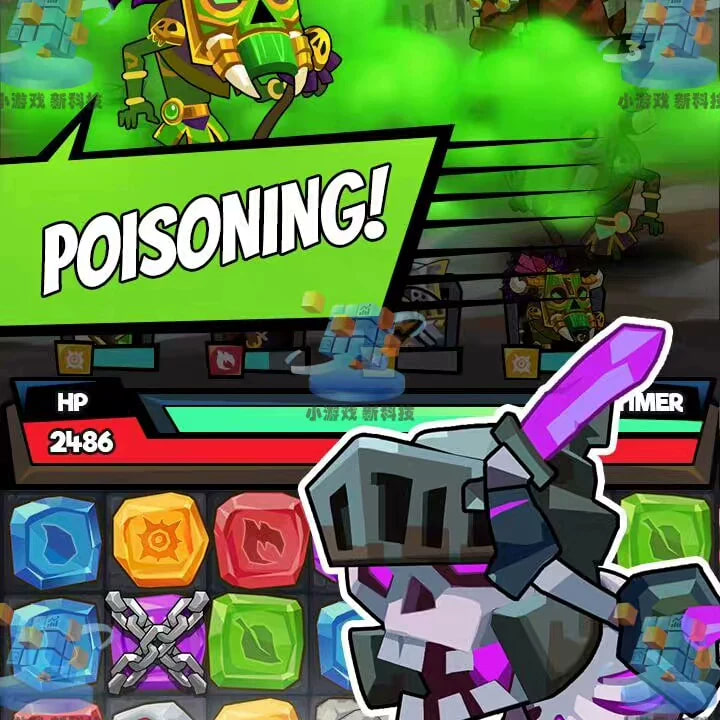
Core Answer: Empire and Dragons - Unity Puzzle RPG Source Code provides a production-evaluated Unity 2019.2.17f1 project codebase with modular C# architecture, optimized drawcall performance for mobile web/native publishing, and turn-key evaluation packages.
| Target Engine | Unity 2019.2.17f1 (Verified Compiler Compatible) |
|---|---|
| Source Code Language | C# |
| Evaluation Price | $119.00 USD |
| Official Download | IndieSource Direct Product Hub → |
Empire and Dragons is a Unity 2019.2.17f1 casual puzzle-RPG source project intended for technical evaluation, learning, and prototyping. The large source archive is preserved exactly as received internally, while its outer filename and R2 directory are standardized in English.\n\nProject scope: Review puzzle rules, RPG progression, hero and enemy data, level content, combat flow, interface, inventory or economy systems, save data, audio, SDK integrations, and build configuration before planning a release.\n\nCompatibility: Begin evaluation with Unity 2019.2.17f1 or a compatible environment. Back up the project before package upgrades or migration to a current LTS release.\n\nLicense: The standard download is for evaluation, personal use, research, communication, and learning. Commercial publishing, monetization, client delivery, resale, redistribution, or sublicensing requires a separate written agreement.
Quick facts
- Engine
- Unity 2019.2.17f1
- Category
- Puzzle RPG / Casual / Mobile Game
- Current listing
- Listed at $24.90 USD
Who should evaluate this project?
This source-code project is relevant to Unity developers, technical buyers comparing reusable game systems, and small teams estimating the work required for a prototype, reskin, or custom implementation. Treat the project as a technical starting point rather than a guaranteed store-ready release. Confirm the editor version, package dependencies, build targets, asset references, third-party services, and platform SDKs before committing to production work.
Technical evaluation checklist
- Open a disposable backup with the stated Unity version or a compatible release.
- Confirm that the primary scenes load and the core gameplay loop runs without undocumented services.
- Review the console for missing assets, package conflicts, obsolete APIs, and runtime exceptions.
- Inspect input, progression, save data, level configuration, audio, localization, and interface behavior.
- Replace or remove advertising, analytics, login, payment, networking, and remote-configuration credentials.
- Test representative devices, screen ratios, memory conditions, and target frame rates.
- Estimate branding, content, balancing, privacy, QA, store compliance, and ongoing maintenance work.
Package handling
The downloadable archive is preserved as received. Only the outer filename and R2 storage directory are standardized in English. Internal project paths are not renamed, because changing Unity asset paths or metadata can break GUID references, scenes, prefabs, scripts, materials, and package imports.
License and commercial use
The standard IndieSource download is intended for evaluation, personal use, research, communication, and learning. Commercial publishing, monetization, client delivery, resale, redistribution, or sublicensing requires a separately approved written license or service agreement. Contact IndieSource with the product name, target platforms, planned changes, and intended release model before commercial use.
Next step
Review the product page for the current source-code price and download option. Evaluate editor compatibility and the core loop first, document the changes required for your intended release, and then request commercial licensing or custom development terms when needed.